The built-in Administrative Events custom view in eventvwr.msc is handy to see severe events that might warrant your attention:
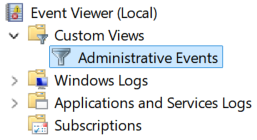
Unfortunately, there is no immediate way to use that view in PowerShell. Also, the view depends on the installed Windows features, so you cannot simply export the XML and be done with it. However, you can precisely replicate the view's definition by querying the registry:
function Get-AdministrativeEventsFilter {
	[CmdletBinding()]
	param(
		[Parameter( Mandatory = $false )]
		[datetimeoffset]
		$After
	);

	$selector = & {
		$terms = @(
			'(Level=1 or Level=2 or Level=3)';
			if( $After ) {
				"TimeCreated[@SystemTime>='{0:o}']" -f $After.UtcDateTime;
			}
		) -join ' and ';
		return "`t`t<Select Path='{0}'>*[System[${terms}]]</Select>";
	};
	@(
		Get-ChildItem -LiteralPath 'Registry::HKLM\System\CurrentControlSet\Services\EventLog' -Exclude 'State', 'Parameters' | Select-Object -ExpandProperty 'PSChildName';

		try {
			$key = Get-Item -LiteralPath 'Registry::HKLM\Software\Microsoft\Windows\CurrentVersion\WINEVT\Channels';
			$key.GetSubKeyNames() | ForEach-Object -Process {
				$subkey = $key.OpenSubKey( $_ );
				try {
					if( $subkey.GetValue( 'Type' ) -eq 0 ) {
						$_;
					}
				} finally {
					$subkey.Close();
				}
			}
		} finally {
			$key.Close();
		}
	) | ForEach-Object -Begin {
		"<QueryList>";
		"`t<Query>";
	} -Process {
		$selector -f $_;
	} -End {
		"`t</Query>";
		"</QueryList>";
	} | Out-String;
}The function requires elevated permissions because it queries the Security log. Use the function as follows:
Get-WinEvent -FilterXml ( Get-AdministrativeEventsFilter -After '2026-08-29' );